> For the complete documentation index, see [llms.txt](https://huongdan.hotrokekhai.com/llms.txt). Markdown versions of documentation pages are available by appending `.md` to page URLs; this page is available as [Markdown](https://huongdan.hotrokekhai.com/cai-dat-phan-mem-hddt-easyinvoice/cai-cong-cu-ky-so-easyinvoice.md).
# Cài công cụ ký số EasyInvoice
Hướng dẫn khắc phục lỗi "Vui lòng thực hiện cài đặt Phần mềm ký số và Tiện ích ký số".
**Bước 1: Tải công cụ ký số** [**tại đây**](https://dl.dropboxusercontent.com/s/hnvt4xcryqfbmnk/EasyInvoiceSigningTool.msi.zip?dl=0)
**Bước 2: Cài đặt công cụ ký số**
Cài công cụ ký số
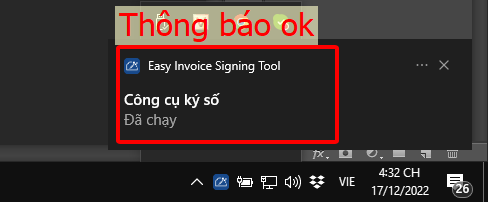
Thông báo công cụ ý đã khởi chạy
**Bước 3: Tiến hành ký lại hóa đơn**
{% hint style="warning" %}
Nếu tiến hành theo cách trên vẫn không xử lý được các bạn có thể thử theo cách 2 bên dưới
{% endhint %}
{% content-ref url="/pages/xIvolM3NdKyLQjrOumLJ" %}
[Cài tiện ích và phần mềm ký số EasyInvoice](/cai-dat-phan-mem-hddt-easyinvoice/cai-tien-ich-va-phan-mem-ky-so-easyinvoice.md)
{% endcontent-ref %}